
As a first step, register the accommodation on the NTAK accommodation registration interface and enter the identifier you receive into the SabeeApp NTAK settings menu.
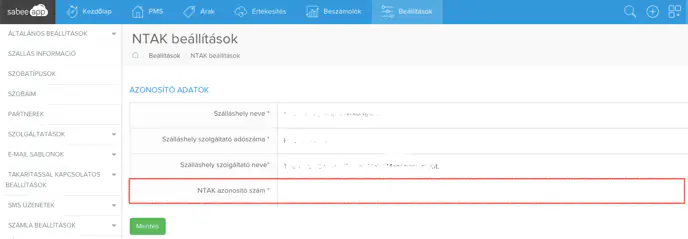
Then follow the remaining steps:
1. Requesting certificates
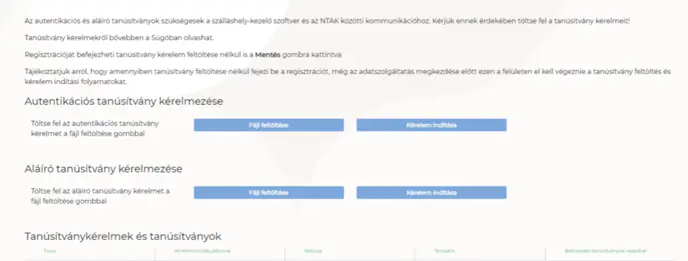
Source: https://info.ntak.hu
PMS applications used by accommodations digitally sign the data they submit. Creating a trusted electronic signature requires two certificates provided by a certificate authority (CA). One is the authentication certificate that identifies the sender; the other is the signing certificate that encrypts the message.
A precondition for issuing certificates is that the accommodation is registered in NTAK and the PMS provider has generated certificate signing requests (CSR files).
2. Uploading CSR files to the NTAK portal
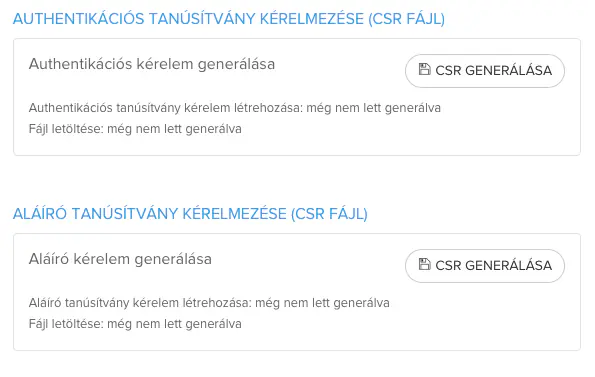
Upload the CSR files received from SabeeApp to the NTAK portal for your property.
3. Downloading signed certificates
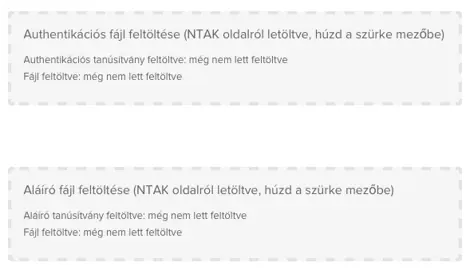
Once the certificates are issued, download them from the NTAK portal.
4. Uploading certificates to SabeeApp
Upload the signed certificates in SabeeApp under NTAK settings. After a successful upload there will be an active connection between SabeeApp and NTAK.