
Companies that belong to a VAT group have two VAT numbers: their own individual number, and a shared group VAT number used by every member of the group. On an invoice, it's the group VAT number that's legally required to appear — for either the issuer or the buyer, whenever either side is a group VAT payer. This is standard practice across the EU, not just in Hungary. This article covers how to record a group VAT number in SabeeApp and how it appears on invoices and in NAV reporting.
Setting Up Group VAT Payer Status
- Go to Settings → General Settings → Company Details (directly below the Web field), or Settings → Invoice → Billing Details.
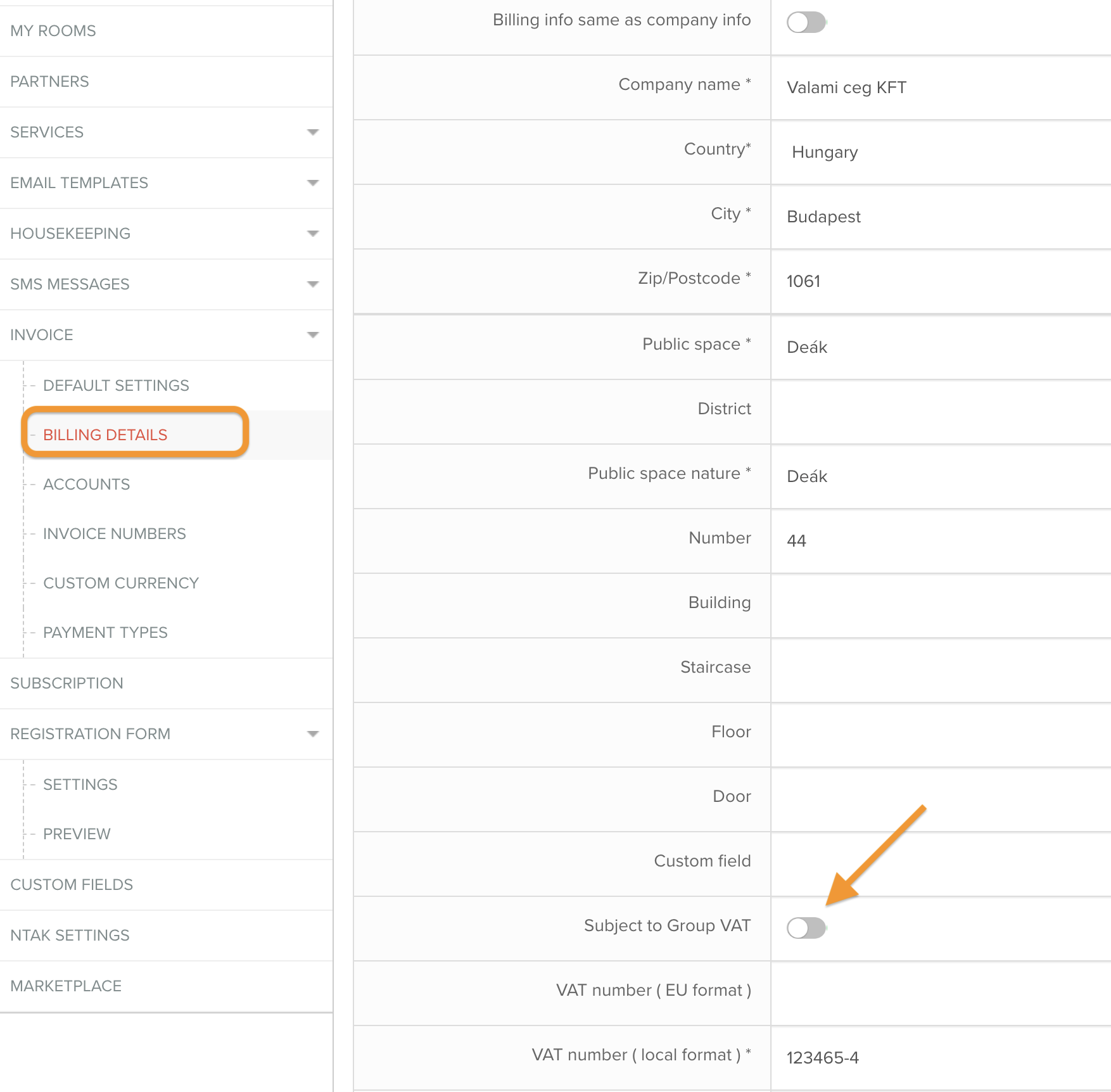
- Turn on the Group VAT Payer (Csoportos ÁFA alany) toggle. It's off by default for every account.
- Once it's on, a required Group VAT Number field appears, marked with an asterisk.
Adding a Group VAT Number to a Company or Invoice
You can also enter a group VAT number directly, without needing to turn on any toggle:
- Companies → Add New Company — the field appears directly above Company VAT Number.
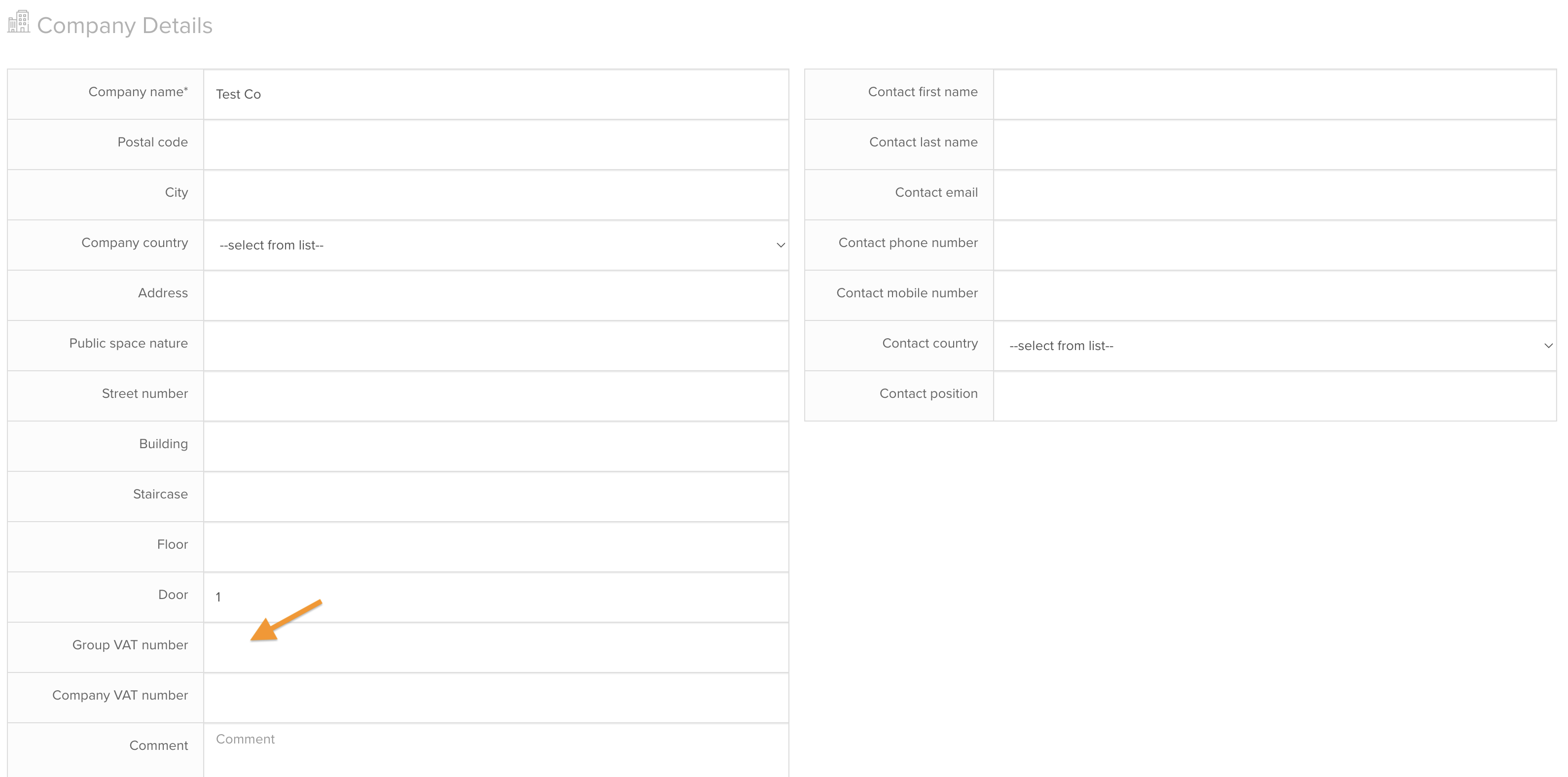

- The invoice form — only shown when the invoice is issued to a company or partner, not a private person.
Validation Rules
- Hungarian VAT numbers must follow the format
XXXXXXXX-5-XX— an 11-digit VAT number where the middle block is always 5, which is what flags it as a group VAT number. - Non-Hungarian VAT numbers have no format validation, since group VAT number formats aren't standardized across the EU.
Wherever a group VAT number is set — for either the seller or the buyer — it displays on the invoice editor and PDF alongside that party's individual VAT number.
NAV Reporting
- Seller side: both the group identifier and the individual member's own VAT number are reported to NAV, and both are mandatory.
- Buyer side: only the group VAT number is mandatory to report; the individual VAT number is optional. SabeeApp sends both regardless.
Subscription Invoices
The same group VAT number rules apply to subscription invoices.


Exports
Group VAT numbers aren't included in exports at this time — no additional data was added there.
Edge Case: Toggle Left On with an Empty FieldIf you delete a previously entered group VAT number but leave the Group VAT Payer toggle on and click Save, a red warning appears under the field: "Please disable the 'group vat nr' toggle in order to save the changes."
Important Notes
- The group VAT number is what legally must appear on the invoice, not the individual VAT number, whenever either party is a group VAT payer.
- Group VAT Payer is off by default for every account — existing accounts aren't affected until you turn it on.
- Hungarian group VAT numbers are validated against the
XXXXXXXX-5-XXformat; non-Hungarian ones aren't validated, since there's no single EU-wide format. - You can't save changes to Company Details or Billing Details with the Group VAT Payer toggle on and the Group VAT Number field empty.
Best Practices
- If your company or a client belongs to a VAT group, enter the group VAT number as soon as you know it — it determines what's legally shown on the invoice, not the individual number.
- Set Group VAT Payer status at the account level (Company Details or Billing Details) if it applies to your own company, so it's applied consistently without re-entering it per invoice.
- For clients that are group VAT payers, enter their group VAT number directly on the company record under Companies → Add New Company, rather than only on individual invoices.
Troubleshooting
Can't save Company Details or Billing Details after clearing the Group VAT Number field. Turn off the Group VAT Payer toggle before saving, or re-enter the group VAT number.
A non-Hungarian group VAT number won't format-validate. Expected — SabeeApp doesn't apply format validation to non-Hungarian group VAT numbers, since there's no standardized EU format.
Group VAT number isn't showing in an export. Expected — group VAT numbers aren't included in exports at this time.
Not sure which VAT number should appear on an invoice. If either the seller or the buyer is a group VAT payer, the group VAT number is the one legally required on the invoice — not the individual VAT number.
Result
Accounts and companies that are group VAT payers can now record and display the correct group VAT number on invoices and in NAV reporting — for either side of a transaction, in Hungary or anywhere else in the EU.