
Overview
Most data tables in the Cash Drawer can be exported to CSV or XLS (Excel) format. This functionality is available on the Transactions page as well as all Report pages, making it easy to analyse or share your data offline.
How to Export
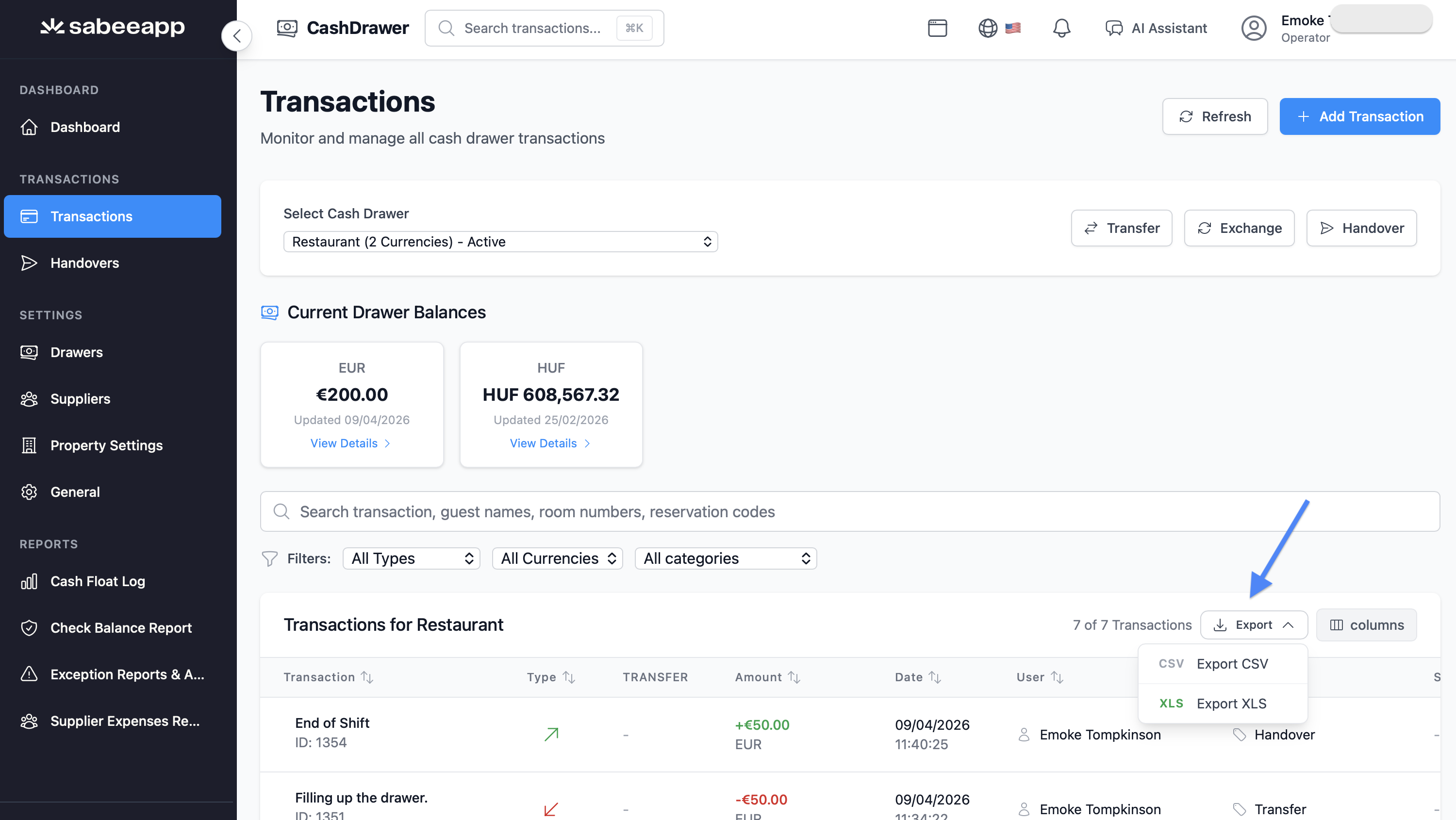
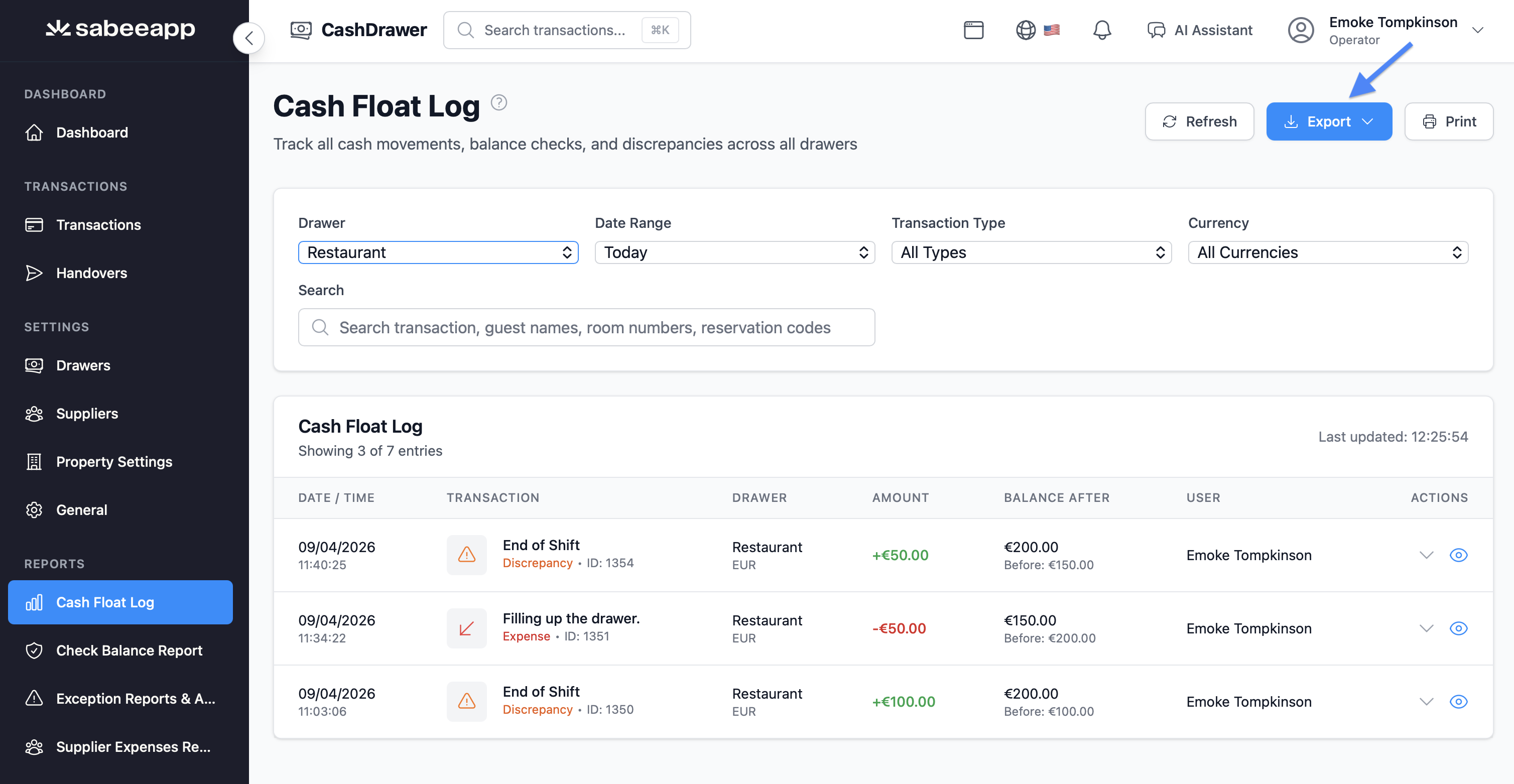
- Navigate to any page that supports export (e.g., Transactions, Cash Float Log Report, Check Balance Report, Supplier Expenses Report).
- Locate the Export button above the data table.
- Click the button to reveal two options:
- CSV – A plain-text, comma-separated file compatible with most spreadsheet tools.
- XLS – A formatted Microsoft Excel file (.xlsx) with enhanced readability.
- Click your preferred format. The file will download automatically.
What Gets Exported
Exports respect active filters and sorting applied on the page. Only the data currently visible is included.
Transactions Export Includes:
- Transaction ID, Date, Time
- Drawer name and location
- Transaction type (Income / Expense / Check)
- Category name
- Amount and Currency
- Balance Before and Balance After
- Description
- User name (who performed the transaction)
- Guest details: name, room number, reservation code (if applicable)
- Invoice number, Supplier name (if applicable)
- Exchange rate (if applicable)
- Last updated by and timestamp
Report-Specific Exports:
- Cash Float Log Report – Float-specific fields and discrepancy information.
- Check Balance Report – System vs physical balances, discrepancy amounts, percentages, and match/discrepancy status.
- Supplier Expenses Report – Supplier details, expense breakdown, and amounts by date.
Excel File Formatting
The XLS export produces a well-formatted spreadsheet:
- Column headers are bold with a light gray background.
- Column widths adjust automatically (minimum 10 characters, maximum 50).
- Multi-section reports (e.g., Check Balance Report) generate separate worksheet tabs, labeled by section.
File Naming
Exported files are automatically named for easy identification:
| Page | File Name Format |
|---|---|
| Transactions | transactions-[DrawerName]-[YYYY-MM-DD] |
| Cash Float Log | float-log-[date] |
| Check Balance Report | check-balance-report-[date] |
| Supplier Expenses | supplier-expenses-[date] |
Access & Permissions
- Operators – Can export data only from drawers they have access to.
- Managers & Owners – Can export all data across the property.
- If Safe Mode is active on a drawer, restricted data is not available for export to non-owners.
This article provides a complete overview of exporting data from the Cash Drawer, including file formats, included fields, Excel formatting, and permissions.