
With SabeeApp’s booking engine, you can automatically personalise the guest experience based on the visitor’s IP address. This helps create a smoother and more localised booking journey for your guests.
What Happens Automatically?
Automatic Language Detection
The booking engine can automatically display in the guest’s preferred language based on their location.
For example, if a guest visits your booking engine from Spain, the page can automatically appear in Spanish.
To enable this feature:
-
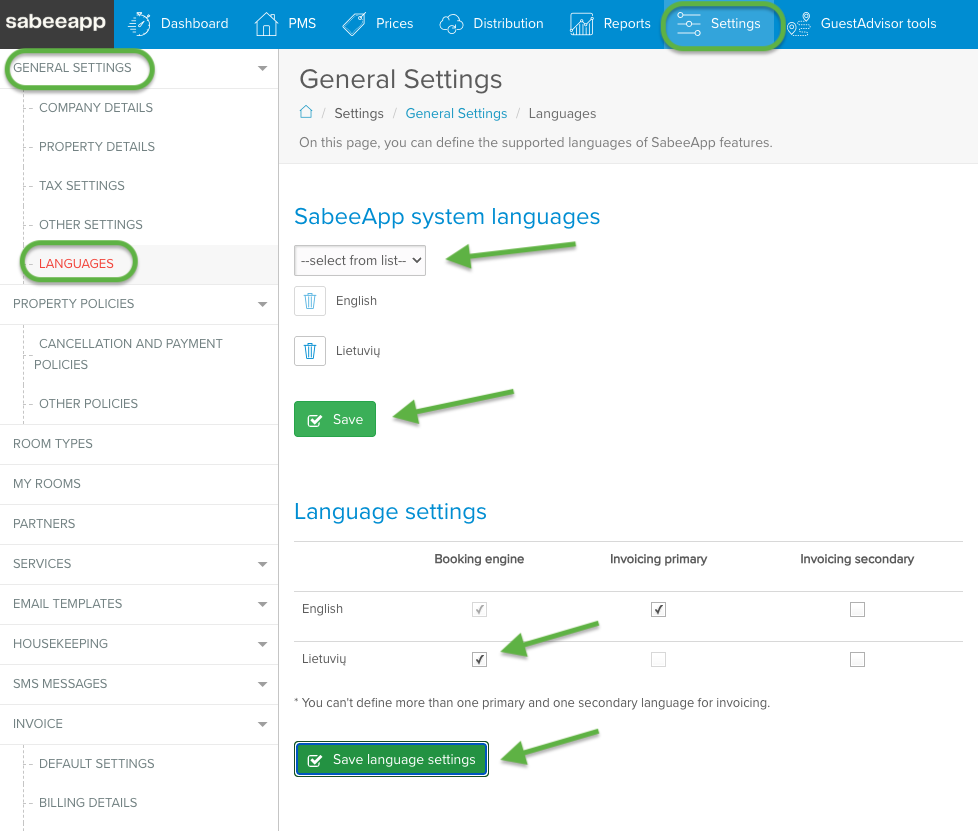
Go to Settings → General setting → Languages
-
Add the required languages to your SabeeApp system languages
-
Save the changes
-
The new language will appear in the list of Language settings
-
Enable the same languages for the Booking Engine
-
Save your language settings
 What Does This Language Setting Affect?
Enabling a language will translate the Booking Engine interface, including headers and main booking features, into the selected language.
However, guest-facing content such as:
-
Room descriptions
-
Property policies
-
Additional property information
must be translated manually by the property in the relevant sections.
If translations are missing, or if the guest’s language is not supported by the booking engine, some descriptions may appear empty.
Automatic Currency Display
Displayed prices can also automatically switch to the currency commonly used in the guest’s country.
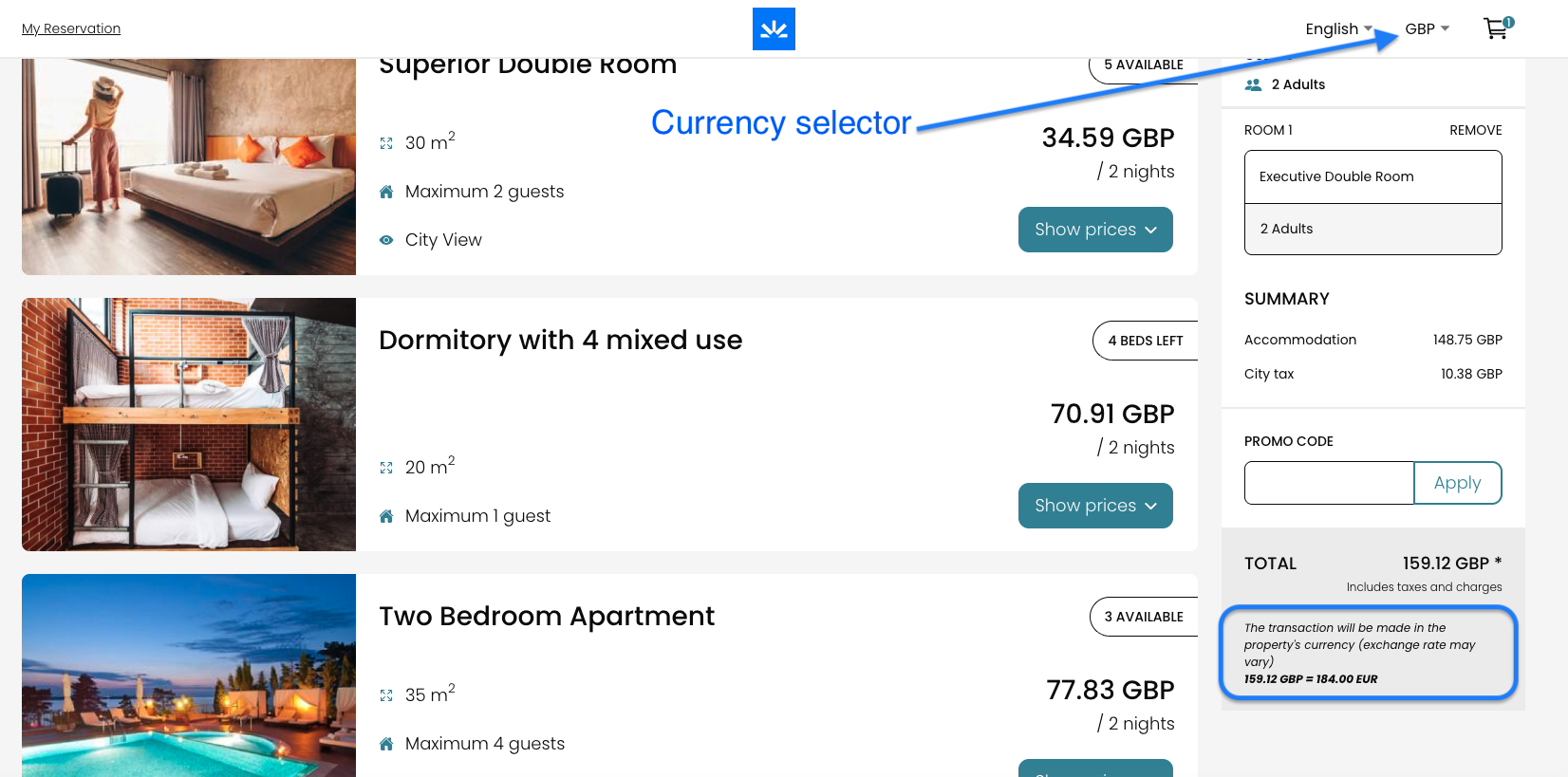
For example, guests visiting from the United Kingdom may see prices displayed in GBP.
Guests can still manually change the currency at any time, but the default displayed currency will be based on the detected IP location.
 Important Information About Payments
Although prices may be displayed in different currencies, the final price calculation and transaction are always processed in the property’s default currency.
To keep this transparent for guests, the property’s default currency is clearly indicated below the total amount displayed during the booking process.
Default Settings
Automatic language and currency detection are enabled by default in your account.
If you would like to disable either of these features, please contact our Customer Support team.
How Does the Booking Engine Work with VPNs?
The Booking Engine can still work correctly when guests use certain VPN services.
-
If the VPN uses an IP address provided by a standard Internet Service Provider (ISP), the booking engine will usually function normally. These connections are treated as regular internet traffic and are not restricted.
-
However, if the VPN uses an IP address associated with a hosting provider or server infrastructure, access to the Booking Engine may be blocked automatically. In these cases, the guest may receive a 403 Forbidden error message.
This behaviour is intentional and helps protect the Booking Engine from suspicious or potentially harmful traffic.