
The GuestAdvisor App includes a menu that allows you to indicate which of your travel agency partners you work with under a fixed-price contract.
This can be important for certain contracted partnerships, ensuring that guests receive consistent information from you and the travel agency they booked with.
To set this up:
-
Go to the GuestAdvisor menu in your SabeeApp account.
-
Click on Settings.
-
On the second tab, you will see a list of all your saved partners in SabeeApp, where you can manage your fixed-price contracts.
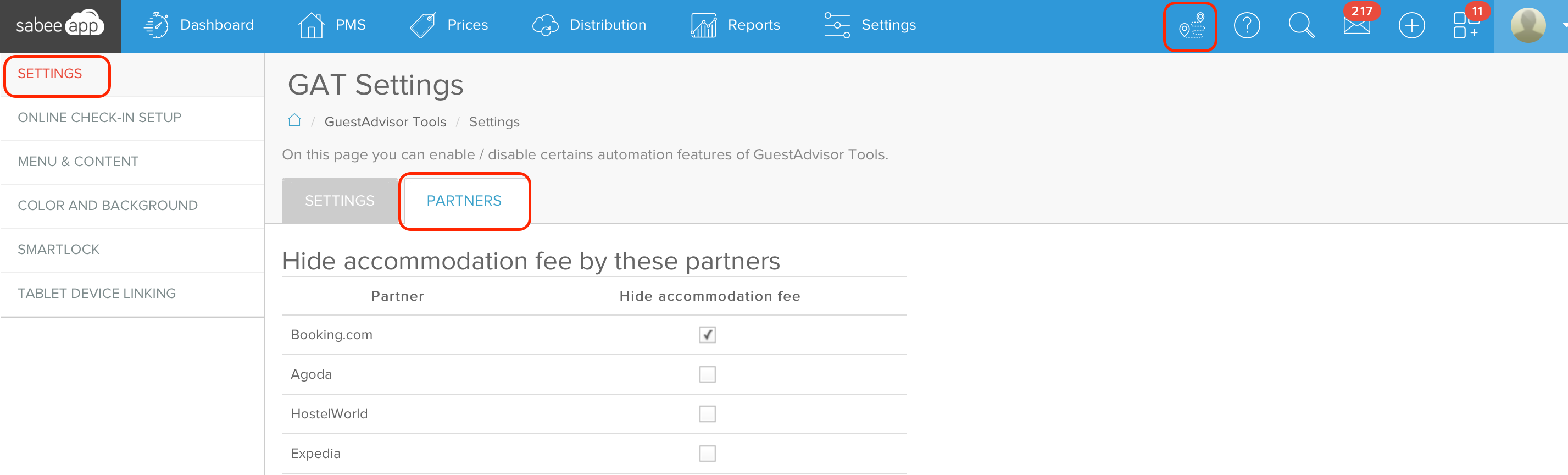
Once a partner is marked in this list, the guest that is sent by this partner, will not see the accommodation fee displayed in the Guest Advisor mobile application, only the fee of the possibly booked extra services.
You can easily change this setting, if you wish to display the accommodation fee again, just remove the mark from the check box next to the partner name.