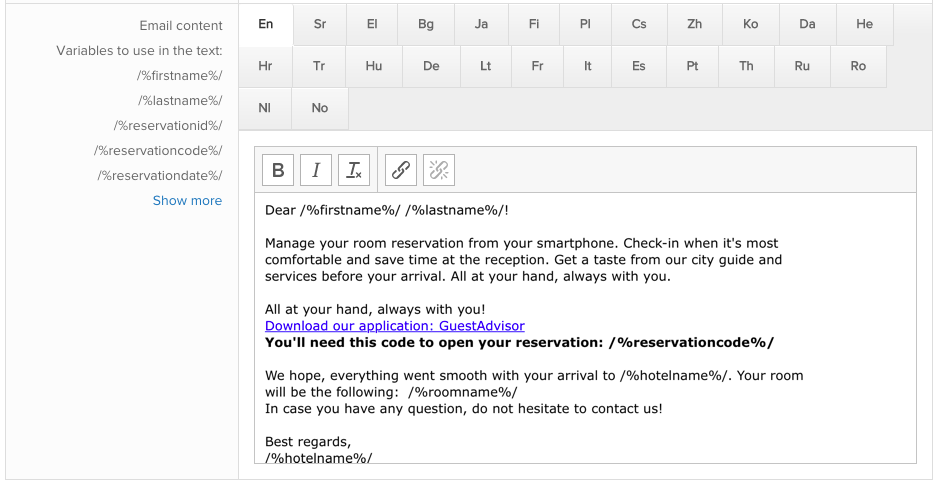
Notification emails are the best way to let your your guests know about GuestAdvisor and ask them to download the app.
We developed a smart link which easily can be inserted into your email templates and the application can be installed basically by one click.
Download link to use:
https://guestadvisor.app.link/download?rescode=/%reservationcode%/
Recommended text to add to the template:
All at your hand, always with you!
Download our application: GuestAdvisor
You'll need this code to open your reservation: /%reservationcode%/
Follow these steps:
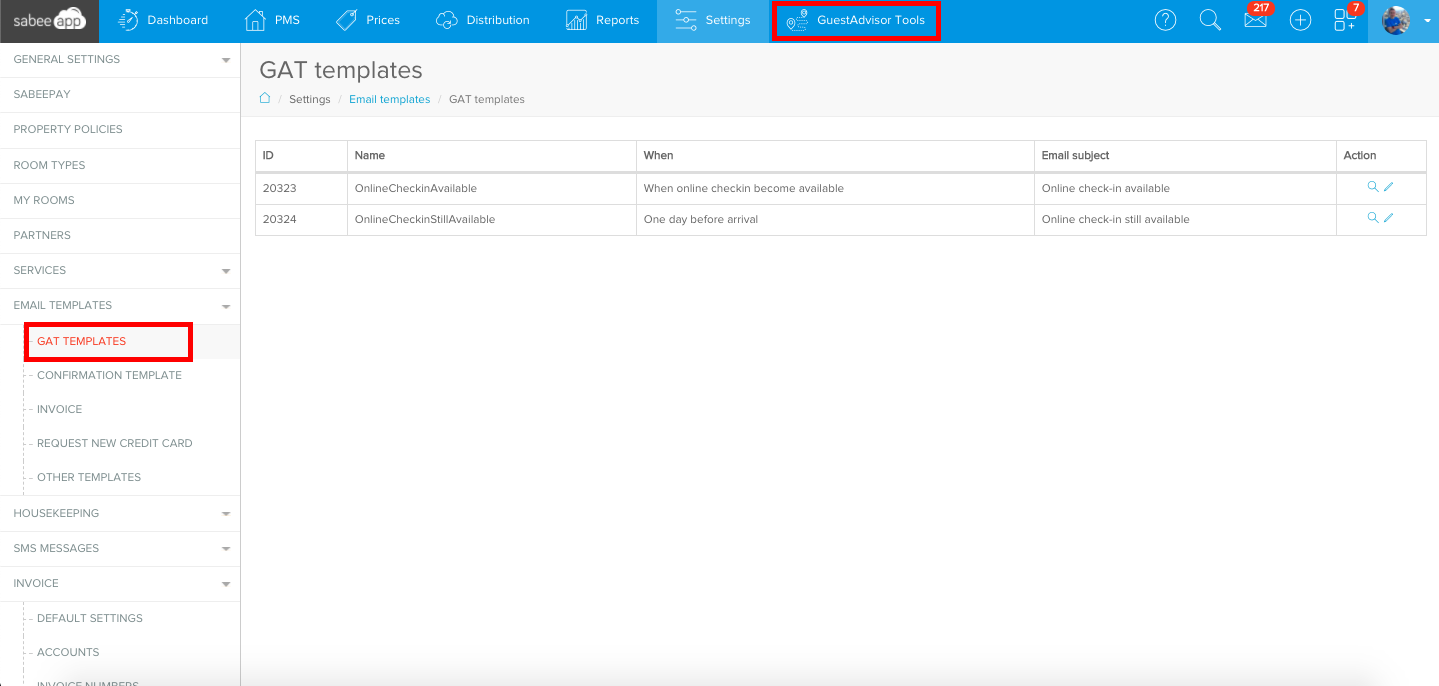
- Click Settings → More → Email templates → GAT templates
- Select a template
- Add the text above anywhere in your template
- Select the part "Download our application: GuestAdvisor"
- Click the "Insert/Edit link" icon of the editor
- Paste the link to the Url field of the popup
- Click OK in the popup
- Click "Save and opt in all guests"